 Zapraszamy do sklepu http://www.example.com |
Pełna nazwa firmy ullica nr kod Miasto tel. +48 00 0000-000 |
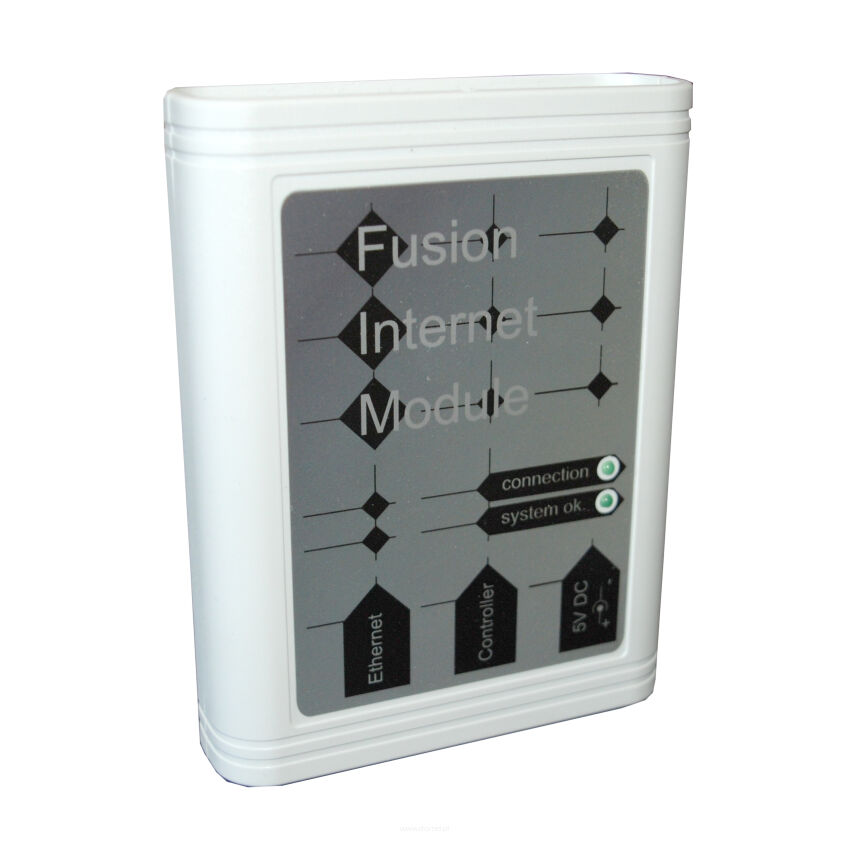
FUSION Internet Module for SIGNUM 636 Controller
Produkty > Sterowniki i regulatory > moduły internetowe
Producer: FOSTER
Producer code: 2001230121129

Weight: 1kg
Price gros: €87.96
Price net: €71.51
FUSION INTERNET MODULE
The FUSION internet module is a device dedicated to a group of temperature controller users for whom remote access and adjustment is an advantage or a requirement.
Connection:
FUSION is a solution that is simple both in installation and operation. The module comes with a splitter, a power adapter, an ethernet cable, and a telephone cable (terminated with RJ11 connectors). Below is a diagram showing how to connect the FUSION internet module to a sample HT-tronic 500 controller. Startup involves connecting the module to the controller using the RJ11 cable and the splitter, to which the Control Panel (previously connected directly to the controller) should also be connected. The module itself is then connected with a cable terminated with RJ45 connectors from the Ethernet output to the device (router) or source that provides internet connection. Then, power the FUSION module using the included power adapter. The proper operation status of the module and connection to the temperature controller is indicated by blinking LEDs: connection and system ok.
Configuration:
This setup provides us with mobile access to our controller, allowing us to change boiler settings as needed, which affects the combustion process. With the module, the user receives documentation containing the data: Username and Password. Through https://foster.inveo.com.pl and user configuration, we have remote access to our device.
FUSION INTERNET MODULE
The FUSION internet module is a device dedicated to a group of temperature controller users for whom remote access and adjustment is an advantage or a requirement.
Connection:
FUSION is a solution that is simple both in installation and operation. The module comes with a splitter, a power adapter, an ethernet cable, and a telephone cable (terminated with RJ11 connectors). Below is a diagram showing how to connect the FUSION internet module to a sample HT-tronic 500 controller. Startup involves connecting the module to the controller using the RJ11 cable and the splitter, to which the Control Panel (previously connected directly to the controller) should also be connected. The module itself is then connected with a cable terminated with RJ45 connectors from the Ethernet output to the device (router) or source that provides internet connection. Then, power the FUSION module using the included power adapter. The proper operation status of the module and connection to the temperature controller is indicated by blinking LEDs: connection and system ok.
Configuration:
This setup provides us with mobile access to our controller, allowing us to change boiler settings as needed, which affects the combustion process. With the module, the user receives documentation containing the data: Username and Password. Through https://foster.inveo.com.pl and user configuration, we have remote access to our device.
Product options
 Polish
 Czech
Czech
 German
 Slovak
 Ukrainian